
使用电脑时,我们经常需要在多个不同的目录中跳转并查看文件。
When using a computer, we often need to navigate between multiple different directories and view files.
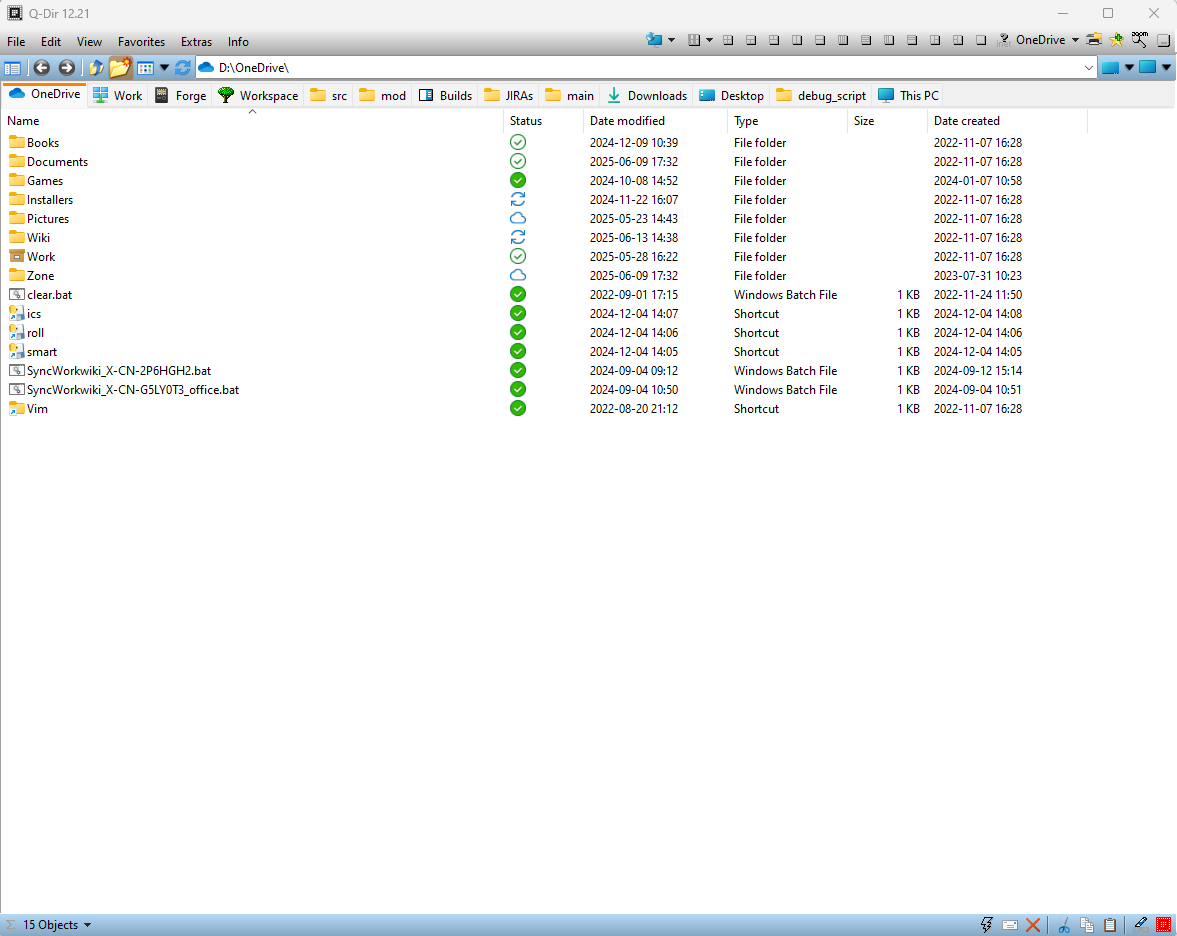
推荐一个我用了很多年的轻量级文件浏览器:Q-Dir, 极大地提高了查看文件的效率。
I recommend a lightweight file browser I’ve used for many years: Q-Dir. It has significantly improved my efficiency when viewing files.
支持 Windows 平台,绿色便携,压缩包仅 1M, 开了十几个 Tabs 内存占用 30M 左右。
It supports Windows. It is portable (green software). The compressed package size is only 1MB. And it uses just around 30MB of RAM even with over a dozen tabs open.
我的用法:
1) 把 Q-Dir 固定到任务栏
2) 开数个 Tabs 把常用的文件目录全部打开,根据需要对不同的 Tabs 做一些微调,然后把配置保存到收藏夹。
3) 随意使用,根据需要一键恢复成原始配置。
How I use it:
1) Pin Q-Dir to the taskbar.
2) Open several tabs to access all frequently used directories. Fine-tune each tab as needed (e.g., sorting, view mode, window position), then save the entire configuration to Favorites.
3) Use it freely. Restore the original setup with one click whenever needed.
保存的配置可以记住每个 Tab 的路径、排序、查看方式和窗口位置。
还有一些好用的功能,就自行探索吧。
The saved configuration remembers the path, sorting, view mode, and window position for each individual tab.
It has many other useful features—feel free to explore them on your own.
URL: https://www.softwareok.com/?Download=Q-Dir

 ezha
ezha 